NinjaRMM
NinjaRMM Integration
NinjaRMM (NinjaOne) is a unified IT management solution. This integration syncs organizations, devices, alerts and tickets, and lets you create tickets and post meeting notes to tickets from Narmada.
This integration allows you to synchronize NinjaRMM devices to Narmada. It’s a one way sync.
To get started follow the steps below to create a new API keys in NinjaRMM.
Go to Administration -> Apps -> API to create a new App ID
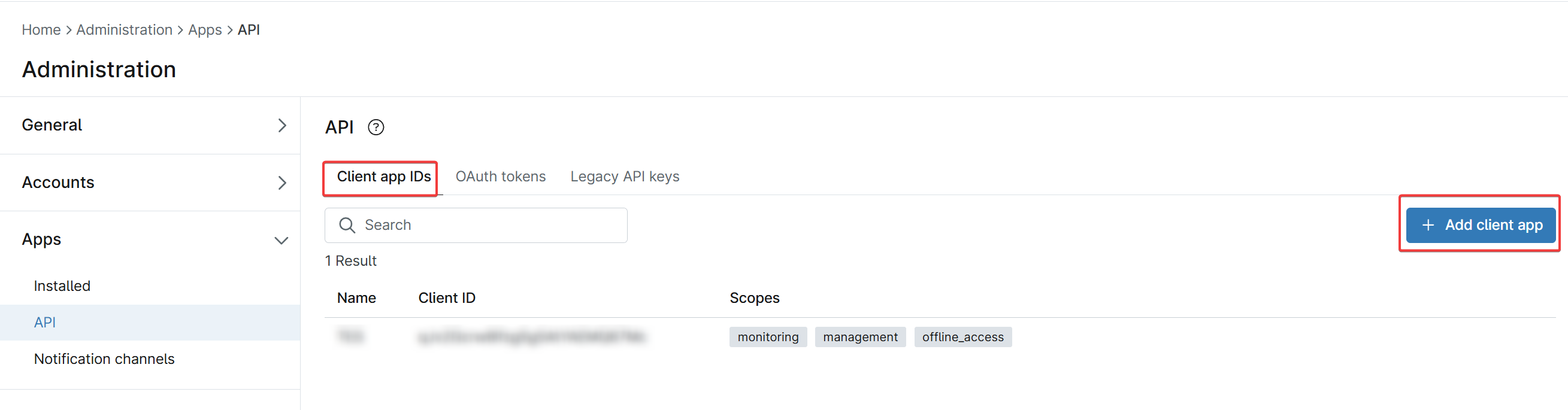
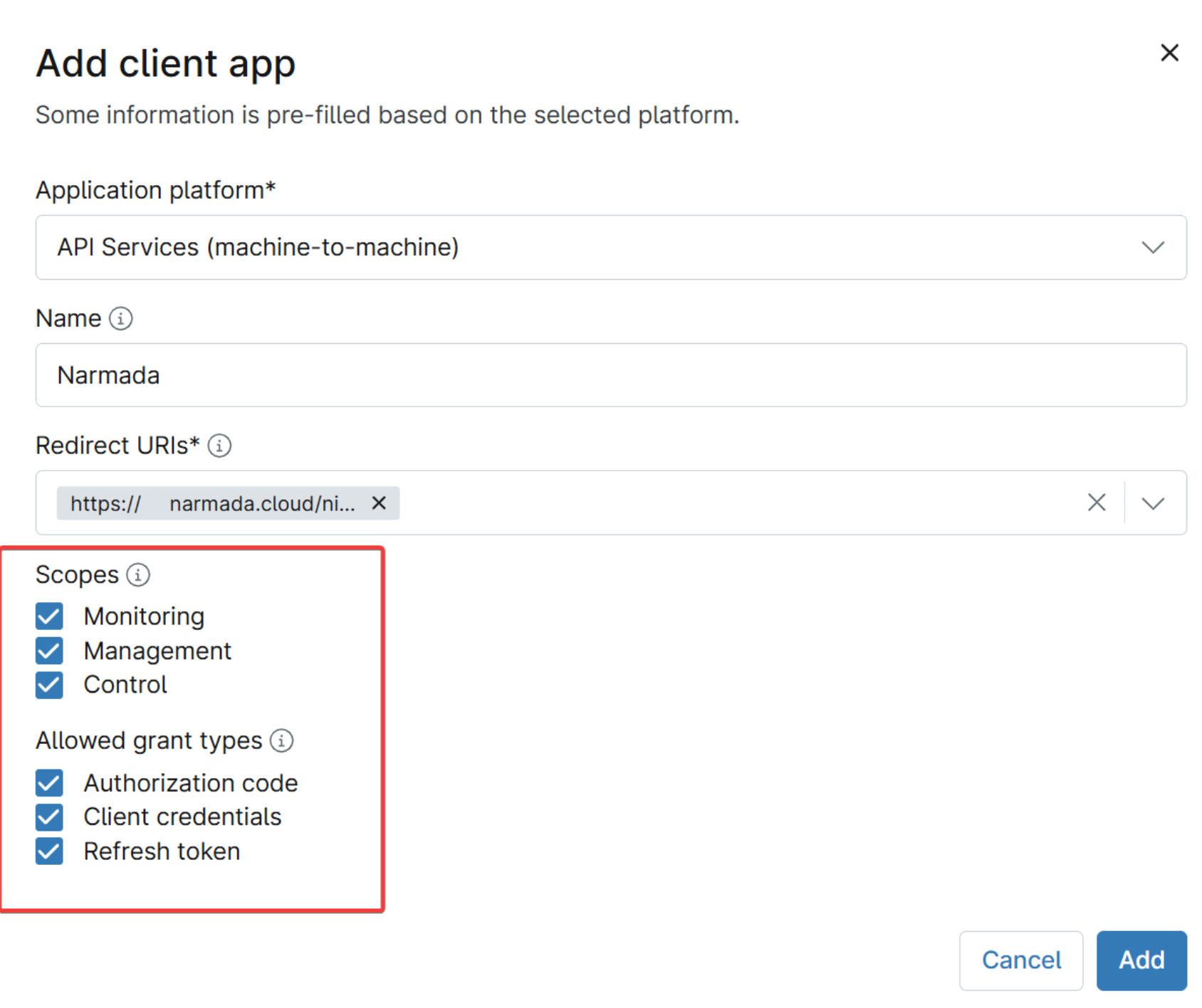
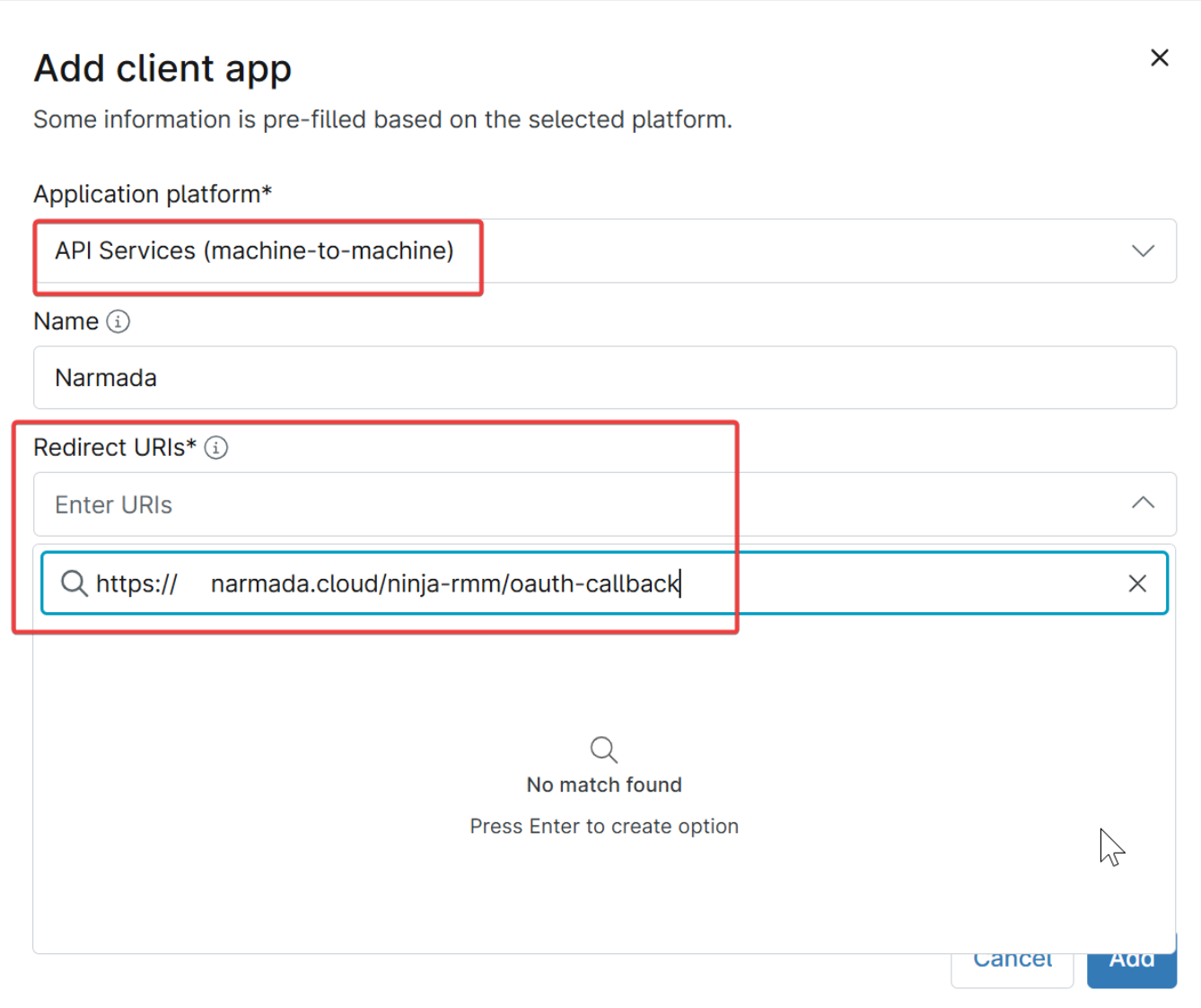
Select the API Service and set callback URL
https://narmada.cloud/ninja-rmm/oauth-callback
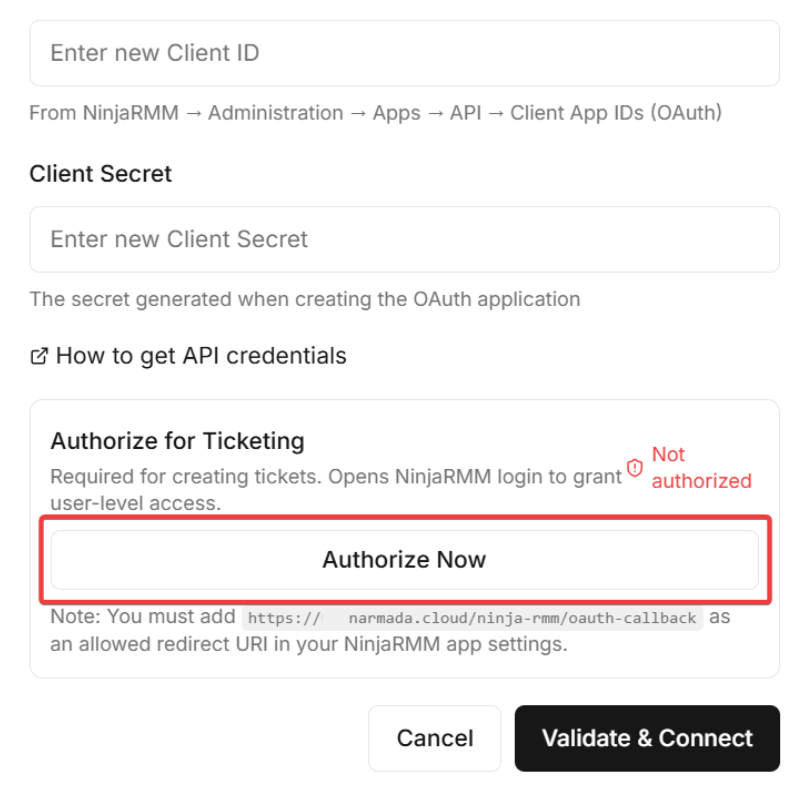
If your Ninja app was set up earlier with the us.narmada.cloud address, add this new address to its list of redirect URIs too, or Authorize will show a redirect URI error.
Check all the boxes under Scopes.
NOTE: if you do not want Narmada to have Read/Write access to your instance and being able to create tickets, uncheck Management and Control from scope below
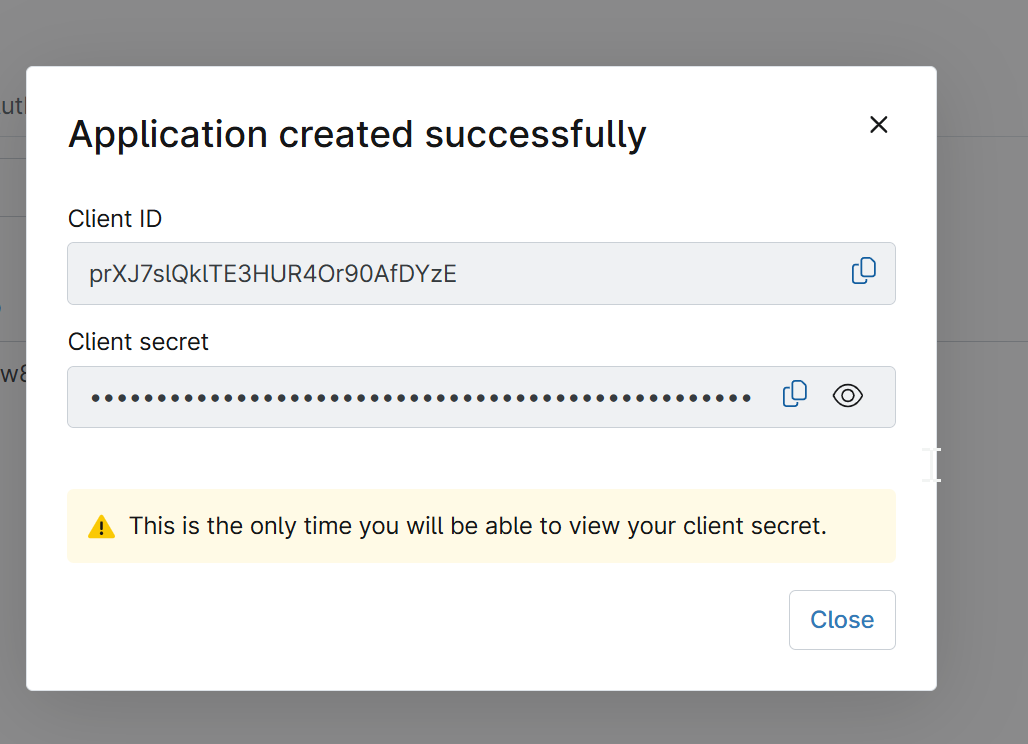
Click ADD and save it client secret as it will be needed later in Narmada
In Narmada, got to Integrations -> Ninja -> and create a new connection. Add a name, select region and insert Client ID and your secret
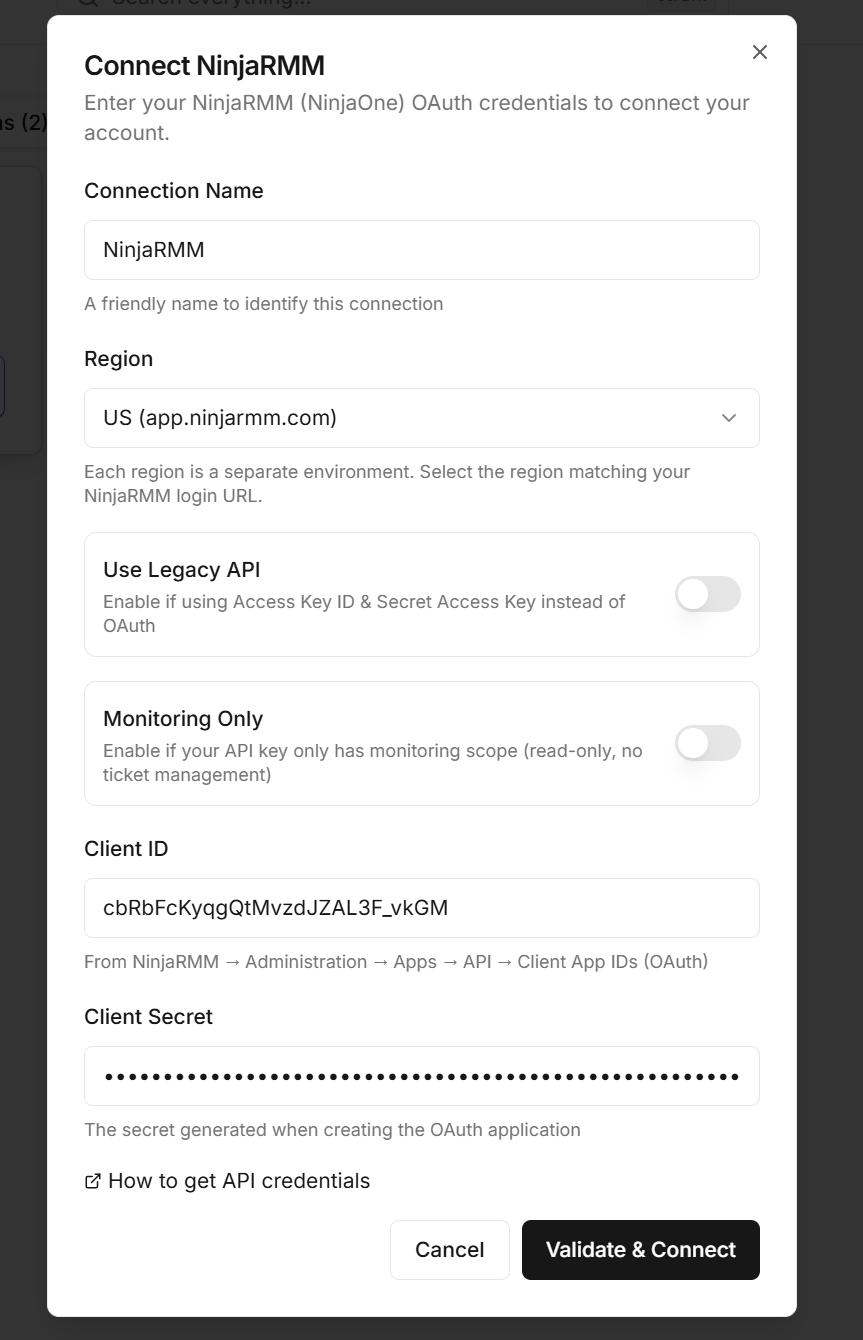
Click Validate and Connect
Go back to the Connection > Edit it and click Authorize
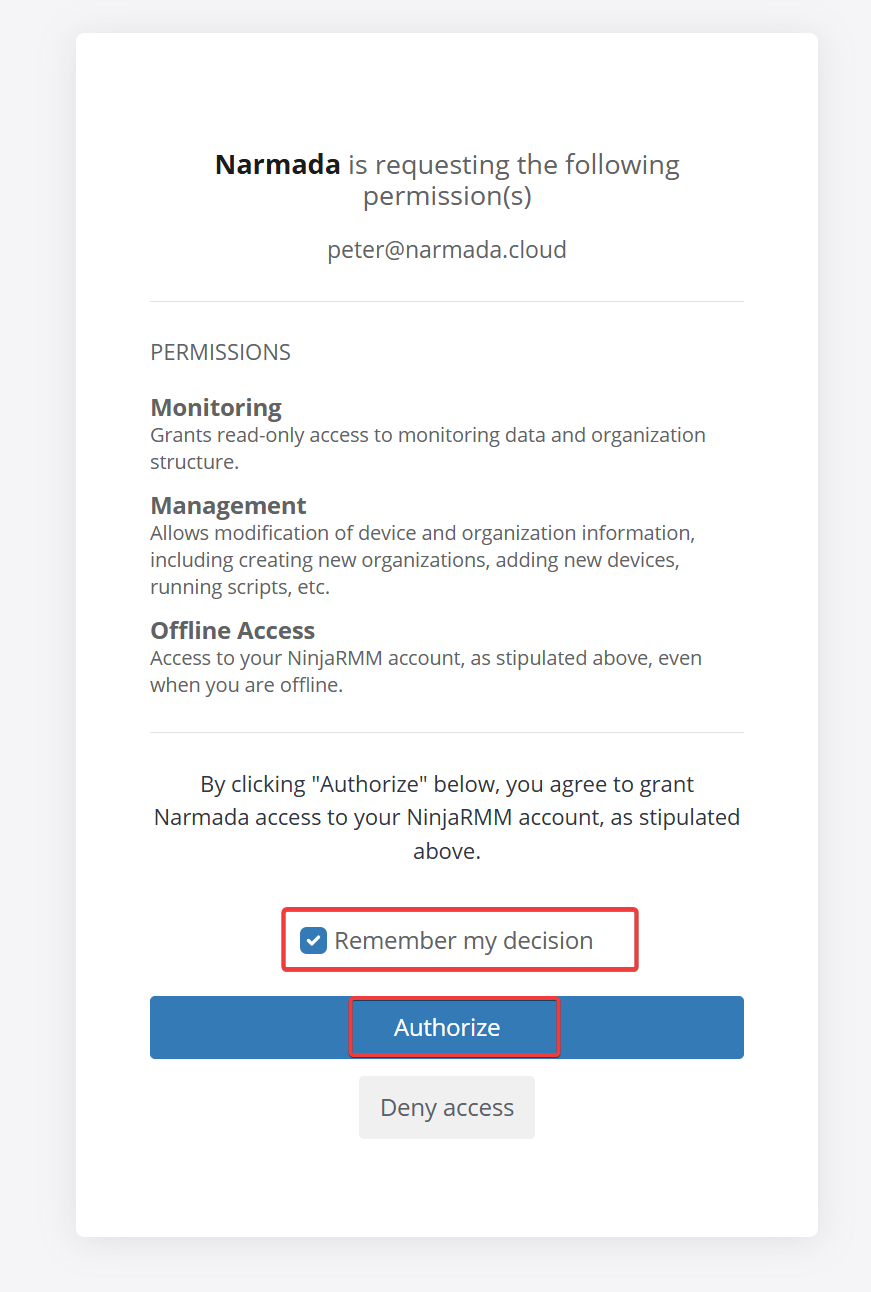
You should get this approval window. Make sure to check the box Remember my decision and click Authorize
You can now test the connection again.
Last step, go to Mappings to map clients > run the initial sync.
NOTE: If you want to be in Read only mode, which will prevent ticket management, toggle Monitoring only option on.
Tickets
What comes in: Ninja tickets show up in Tickets, PSA dashboard cards and SLA views, with their status and the requester's name and email.
What you can do from Narmada: create a Ninja ticket from an assessment, and post meeting write-ups to a ticket as a private comment.
Requirements: the connection must be authorized (the Authorize step above) with the Management and Control scopes. Ticket features are off when "Monitoring only" is on, and older v1 connections can't create tickets.
Limitations:
- No contacts, time entries, contracts, opportunities or projects.
- The assigned technician's name isn't shown.
- Ticket boards and status lists aren't imported, only each ticket's own status.
- Editing a ticket's fields or status from Narmada isn't supported.
- Tickets deleted in Ninja stay in Narmada.
- Very large ticket lists may not import in full, because each sync reads one page of tickets.